 Ethereum News
Common Mistakes When Pairing Ledger Nano S Plus with MetaMask

Connection failures and hardware settings
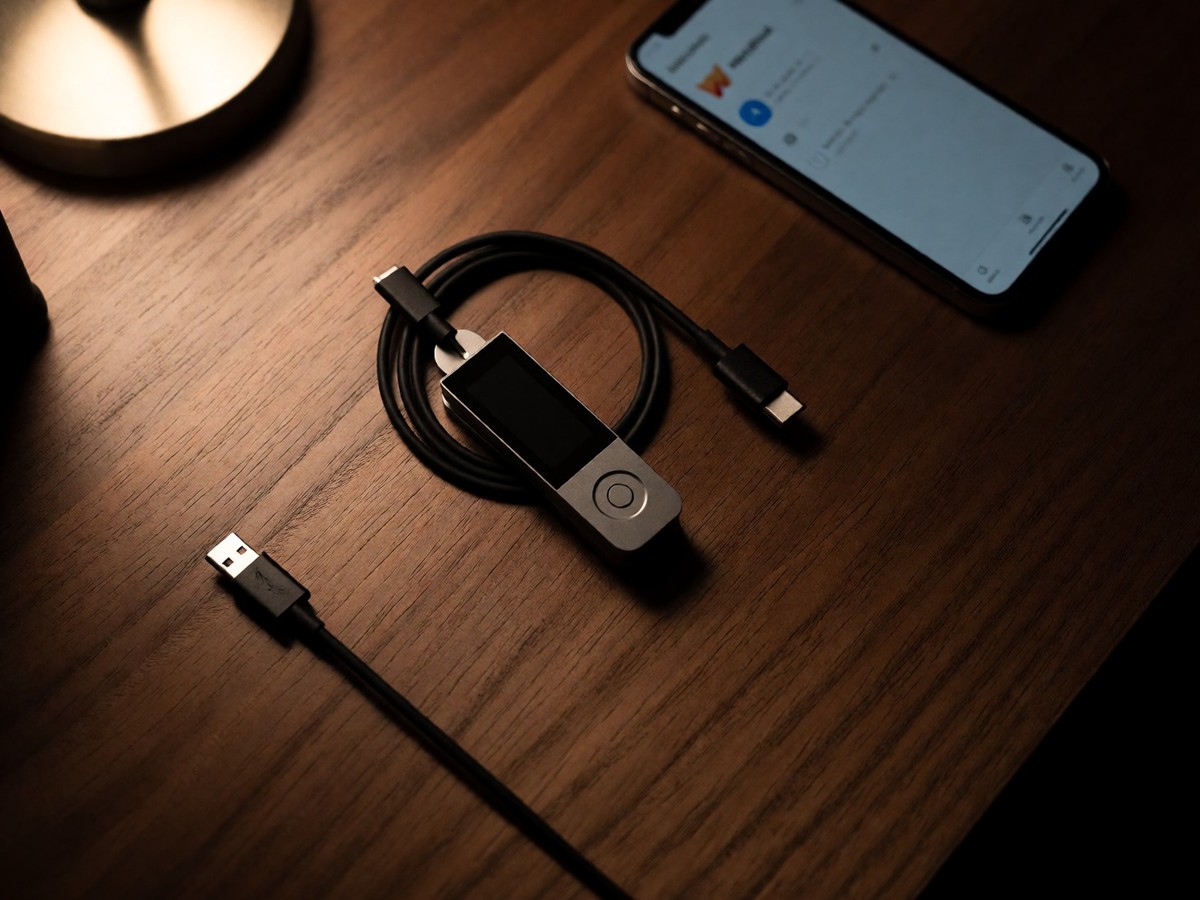
Connection failures between a Ledger Nano S Plus and MetaMask often result from basic hardware setup errors. Users frequently forget to unlock their device with a PIN or fail to open the Ethereum application on the Ledger before attempting to sign a transaction. A charge-only USB cable prevents the computer from communicating with the device, so users need a reliable USB data cable to establish a connection. If the computer does not recognize the hardware, users should test a different cable or a different USB port. Connecting directly to the computer is better than using a USB hub. Another common error involves leaving other wallet applications open, as they can compete for the same connection. You should close Ledger Live or other competing software before trying to use MetaMask. Many users encounter the "Denied by user?" error (0x6985) when trying to interact with smart contracts or deploy contracts. This error does not indicate a security breach. It reflects a specific setting on the Ledger. Users resolve this by opening the Ethereum application on the Nano, navigating to settings, and toggling the "contract data" option to "allow." If the user attempts to sign a transaction while the Ethereum application is not active on the device, MetaMask will fail to detect the connection, resulting in an error that often frustrates new users. The Nano S Plus is a cable-only device with a small screen. It is suitable for long-term storage for users who do not use an iPhone. Users should verify the packaging for a holographic seal upon arrival to ensure the device is not tampered.
Managing stuck or failed transactions
Transactions often stall in the Ethereum mempool or the MetaMask local queue because of incorrect gas or nonce settings. If the gas price stays below the current network base fee, validators will not pick up the transaction. A low gas limit also causes transactions to stall if the complex contract interaction requires more computation than the user specified. Nonce gaps present a more difficult problem, where a stuck transaction with a specific nonce number blocks every subsequent transaction from that address. If transaction number 5 stays stuck, transactions 6 and 7 cannot process until transaction 5 resolves. To fix a stuck transaction, users can use the Speed Up option in the MetaMask activity feed to resubmit the same nonce with a higher fee. If the Speed Up button is missing, users must enable "Custom transaction nonce" in MetaMask settings. To perform a manual zero-value override, users must enable "Custom transaction nonce" in the MetaMask Advanced settings. After finding the stuck nonce in the activity feed, the user initiates a new transaction to their own address. They must set the gas fee higher than the current base fee and enter the exact stuck nonce in the "Custom nonce" field. This sends a cheap placeholder transaction that claims the nonce slot and pushes the original stuck transaction out. If MetaMask shows a transaction as pending but Etherscan shows nothing, the transaction never left the MetaMask local queue. Users can clear this local state by using the "Clear activity and nonce data" option in the MetaMask Advanced settings. This action resets the local nonce counter to match what is on-chain but does not touch the seed phrase or private keys.
Software-level errors and security context
Technical errors in the browser extension cause specific signing failures that hardware settings cannot fix. Users connecting a Ledger Nano S to MetaMask have reported a "TypeError: a._getWalletForAccount is not a function" error in the console. This error occurs during personal_sign or eth_signTypedData operations. This error indicates a bug within the MetaMask extension rather than a failure of the Ledger hardware. Another issue involves the RPC error which indicates a communication failure between the browser and the blockchain node. If the user sees the error "Ledger device: Condition of use not satisfied (denied by the user?)", they should check if they allowed contract data. Some users find that the error persists even after changing settings, which might require connecting the device to a different computer to reset the connection. Does the user truly need to reset the entire account to solve a single stuck transaction? The discrepancy between hot and cold storage remains a fundamental aspect of crypto security. MetaMask is a non-custodial software wallet that lives in a browser or mobile device. Ledger is a hardware wallet that keeps private keys offline. While MetaMask is useful for daily Web3 activity, Ledger provides a higher level of protection for large, long-term holdings. MetaMask users connect to Ethereum and other EVM-compatible chains like Polygon or Arbitrum. Ledger users sign transactions on a physical device that requires button presses. In 2020, a breach at Ledger hit marketing and e-commerce databases, exposing the names and contact details of between 270,000 and one million customers. This breach did not expose recovery phrases or payment card data. The optional Ledger Recover service is a subscription-based backup tool provided by Coincover. It costs 2,599,999 VND per year. This service allows for seed recovery but presents privacy and trust trade-offs that some users dislike.
Hardware models and specifications
The Ledger Nano S Plus occupies the entry-level position in the Ledger lineup, catering to users who prefer wired connections. This model has a 1.1 inch OLED screen and relies solely on a USB-C connection. It lacks Bluetooth and a battery, making it suitable for desktop-focused setups where users prioritize security. For users who need mobile access, the Nano X provides Bluetooth and a built-in battery. The Nano X carries a CC EAL5+ security chip, whereas the newer Nano Gen5 and Flex models use a CC EAL6+ chip. The Nano Gen5 has a 2.8 inch E Ink touchscreen and costs approximately $199, while the Flex model provides a Gorilla Glass screen and costs around $249. The premium Stax model has a 3.7 inch curved E Ink display and a price of $399. The Nano Gen5 is available in colors like Jet Black, Cherry Red, Matcha Green, and Glacier White.
| Model | Screen | Connectivity | Security Cert | Price |
|---|---|---|---|---|
| Nano S Plus | 1.1" OLED | USB-C only | CC EAL6+ | $69 – $79 |
| Nano X | 1.1" OLED | USB-C + Bluetooth | CC EAL5+ | $149 |
| Nano Gen5 | 2.8" E Ink touch | USB-C + BT + NFC | CC EAL6+ | $199 |
| Flex | 2.8" E Ink touch | USB-C + BT + NFC | CC EAL6+ | $249 |
| Stax | 3.7" curved E Ink | USB-C + BT + NFC + QI | CC EAL6+ | $399 |