 Bitcoin News
Bitkey onboarding and the Trezor multisig alternative

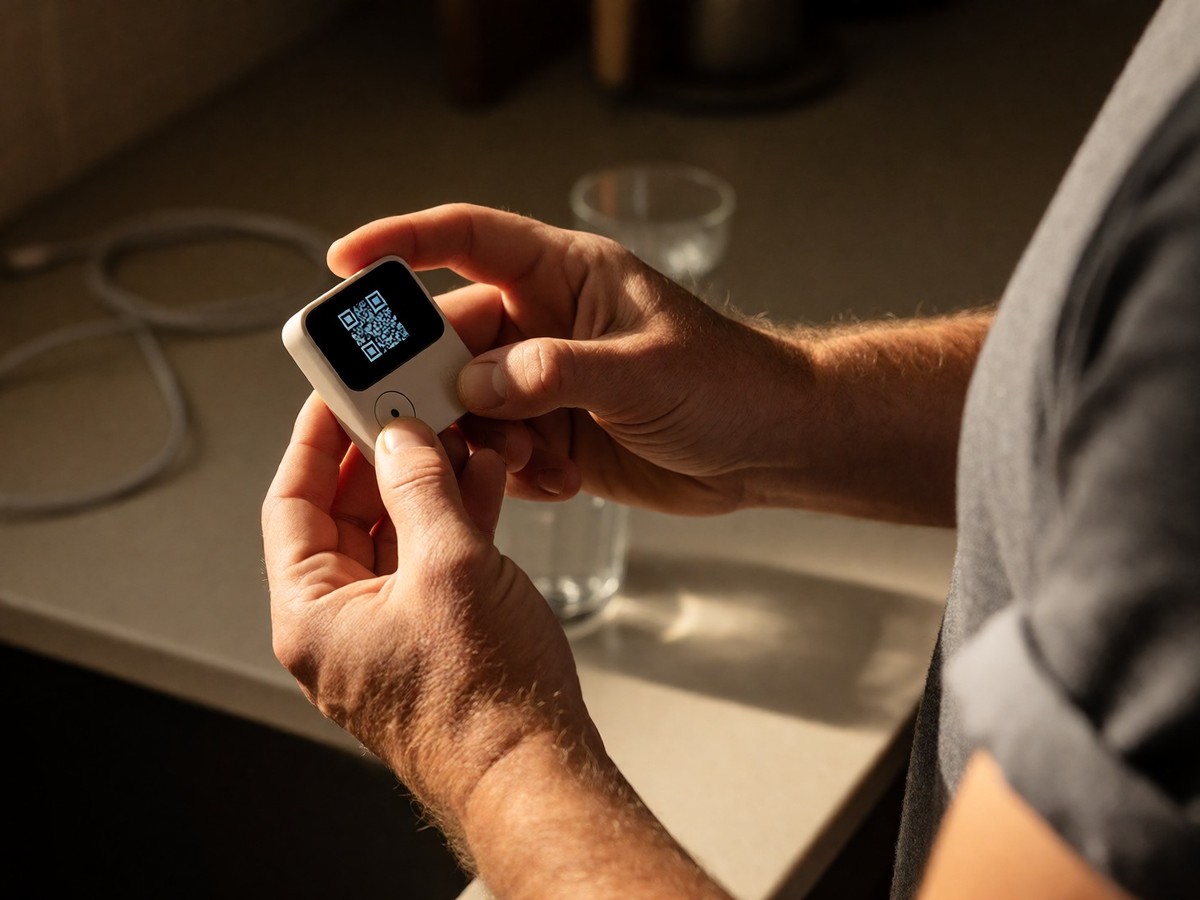
Bitkey reached 340,000 unit sales this year. The 2026 hardware revision costs $250 and uses a Corian solid-surface composite casing. This device measures 66x60x13.6mm and weighs 79g. The new version includes an OLED touchscreen, which differs from the screenless 2024 model that cost $150 and lacked physical buttons. This screen allows you to verify receive addresses directly on the hardware after you trigger the command via the companion app with NFC. I find the removal of physical navigation buttons in favor of a fingerprint sensor simplifies the user experience. You pair the device with the Bitkey app using NFC. Following pairing, you enroll your fingerprint, which remains the only way to unlock the hardware and authorize actions.
Bitkey operates a 2-of-3 multisignature scheme to manage your Bitcoin. One private key resides on your hardware device, one on your mobile app, and one on Block’s servers. This setup requires two of the three keys to authorize any transaction. The hardware device and mobile app provide the necessary signatures for standard movements. If you lack your hardware device, the optional "Transfer without hardware" feature permits spending up to a user-configured limit using the mobile app and Block’s server key. This mechanism avoids the need for the physical device in certain scenarios. You should understand that you cannot export a standard BIP39 seed or use a seed phrase to restore this wallet. Instead, Bitkey relies on cloud-backed recovery through services like iCloud or Google accounts. If you lose both your phone and hardware, you must use a Recovery Contact or the Emergency Exit Kit. If you lose both your phone and hardware, you must use a Recovery Contact or the Emergency Exit Kit to unseal the key from the encrypted PDF payload using a compatible phone. Bitkey also provides other recovery paths including Cloud recovery, Delay + Notify, Cloud Health Check, and Trusted Contacts. Can you effectively manage these recovery steps without a traditional seed phrase?
Trezor Safe 5 offers a different onboarding path for those seeking multisig security. This device uses SLIP39 as the default backup method, which provides a single-signature setup that simplifies recovery without the complexity of managing multiple extended public keys. To use a true multisig setup with Trezor, you must move away from Trezor Suite and use desktop software like Electrum or Sparrow. This process requires you to maintain the XPUB for every single key in your keyset. If you lose an XPUB, you lose access to your funds even if you hold all the private keys. Multisig allows you to protect against a single device catching a virus or one hardware wallet having a backdoor. Popular configurations include 2-of-3 or 3-of-5, where you need a specific threshold of keys to access funds. However, if you decide to move from a 2-of-3 to a 3-of-5 setup, you must move your funds to a brand new multisig wallet. Multisig transactions involve more data than single-signature transactions because they include multiple public keys and signatures in the script. This increased data size results in higher Bitcoin network fees. I would avoid multisig configurations during periods of high network congestion to prevent the sudden spike in transaction costs. Managing these complex setups demands significant technical diligence. For businesses, a 2-of-3 setup allows two colleagues to manage funds, meaning even if one colleague loses their key, the remaining two can still approve transactions. This setup prevents a single person from unilaterally moving funds, which promotes shared accountability. However, the necessity of storing the hardware device’s extended public keys (XPUBs) in a secure, offline location adds another layer of responsibility. If you do not save your XPUBs, you lose your funds, even if you hold the necessary private keys.
Choosing between Bitkey and a Trezor-based multisig setup involves weighing convenience against technical control. Bitkey targets Bitcoin-only beginners through an integrated ecosystem that links with Cash App for paycheck conversions. This approach streamlines the process for users wanting to move Bitcoin into self-custody without learning complex coordination software. Trezor provides more flexibility for advanced users who want to manage multiple manufacturers or use air-gapped setups.
| Feature | Bitkey (2026) | Trezor Safe 5 (Multisig) |
|---|---|---|
| Hardware Price | $250 | Varies |
| Key Scheme | 2-of-3 Multisig | Variable (e.g., 2-of-3) |
| Primary Backup | Cloud/Fingerprint | SLIP39/Physical Seed |
| Onboarding | App + NFC | Desktop Software (Sparrow/Electrum) |
| Transaction Fees | Standard Single-Sig | Higher (due to script size) |
I find the Bitkey approach much more accessible for the average person. The lack of a seed phrase removes a massive point of failure for people who struggle with physical backups. However, the dependence on Block’s infrastructure and the proprietary fingerprint library creates a vendor lock-in that many long-time Bitcoiners dislike. You must decide if the ease of an OLED screen and fingerprint unlock outweighs the need for total independence from a single corporation. The total cost of ownership for Bitkey remains dominated by the $250 hardware purchase plus shipping, taxes, and potential import duties. No recurring subscription fees exist for the mobile app, which makes it a simple one-time investment for many. The Cash App integration allows for easy movement of Bitcoin earned through paycheck conversions.